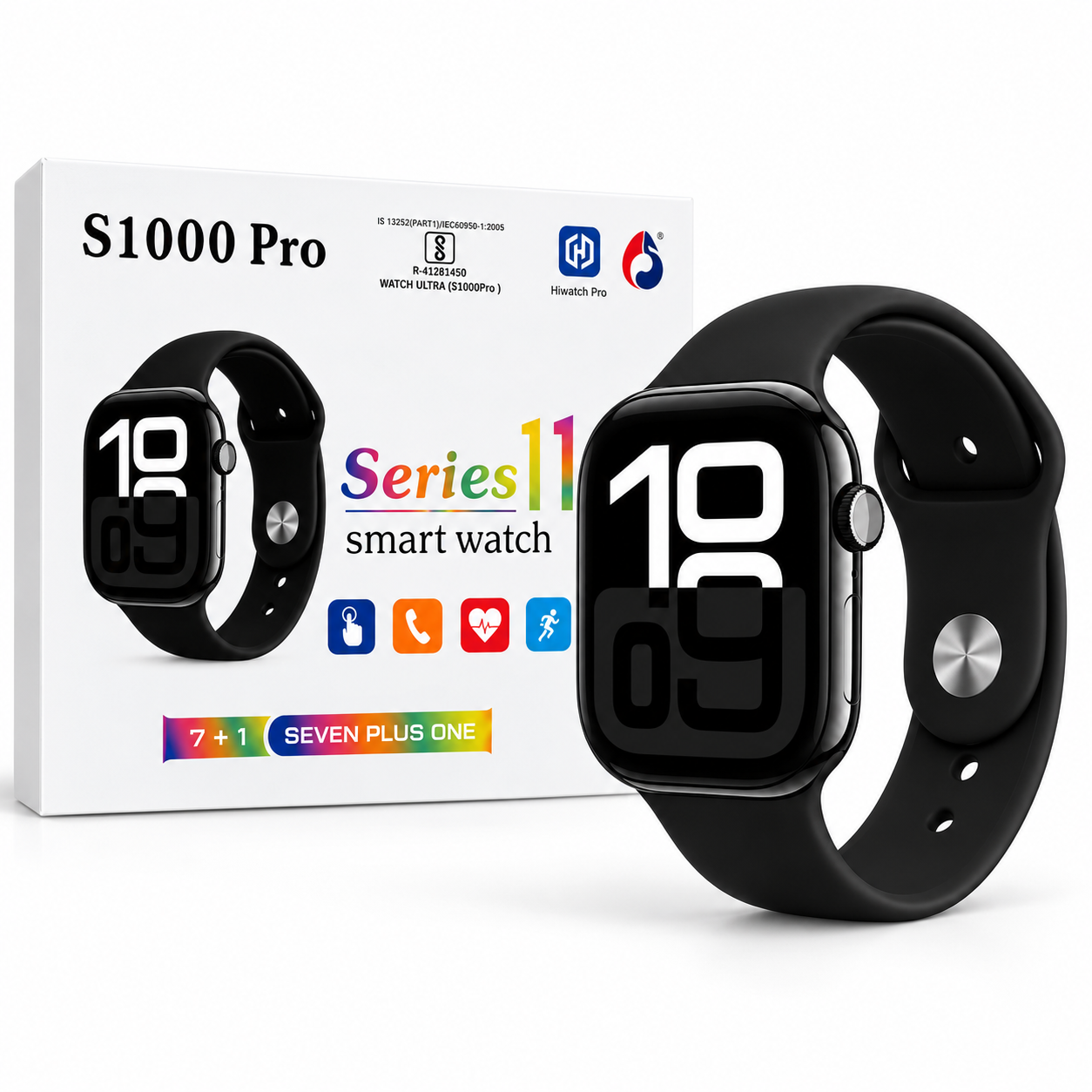
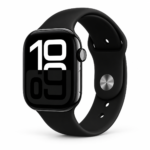
S1000 Pro Smartwatch brings everyday connectivity, activity tracking and a modern black design together in one wearable. This Series 11 model features a large touch display, Bluetooth calling and useful notifications, helping you access everyday information from your wrist.
Whether you are getting ready for work, heading out for a walk or checking an incoming call, this watch offers convenient access to its connected features. Its rectangular face and black strap create a simple look that works with casual clothing and everyday outfits.
Table of Contents
- Display and Design
- Bluetooth Calling
- Wellness and Activity Features
- Notifications and Everyday Use
- Battery and Water Resistance
- Setup Guide
- Package Contents and FAQs
S1000 Pro Smartwatch Display and Design
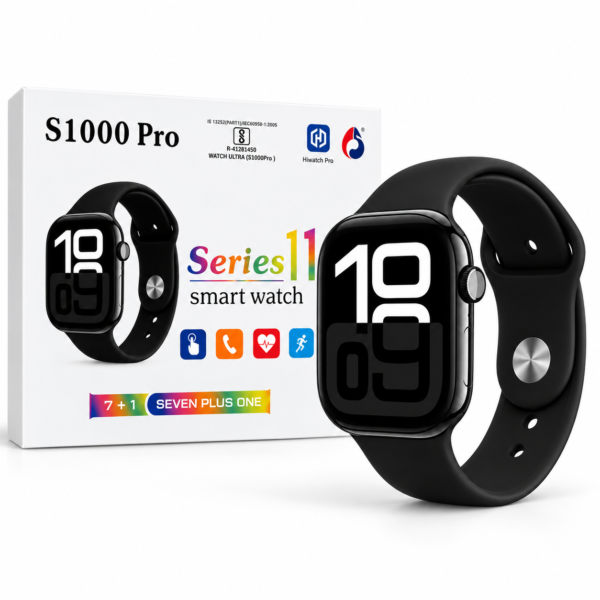
The watch has a 2.01-inch full-touch display, advertised as Full HD in the supplied product image. The large screen provides room to view the time, navigate menus and check information without relying only on physical buttons.
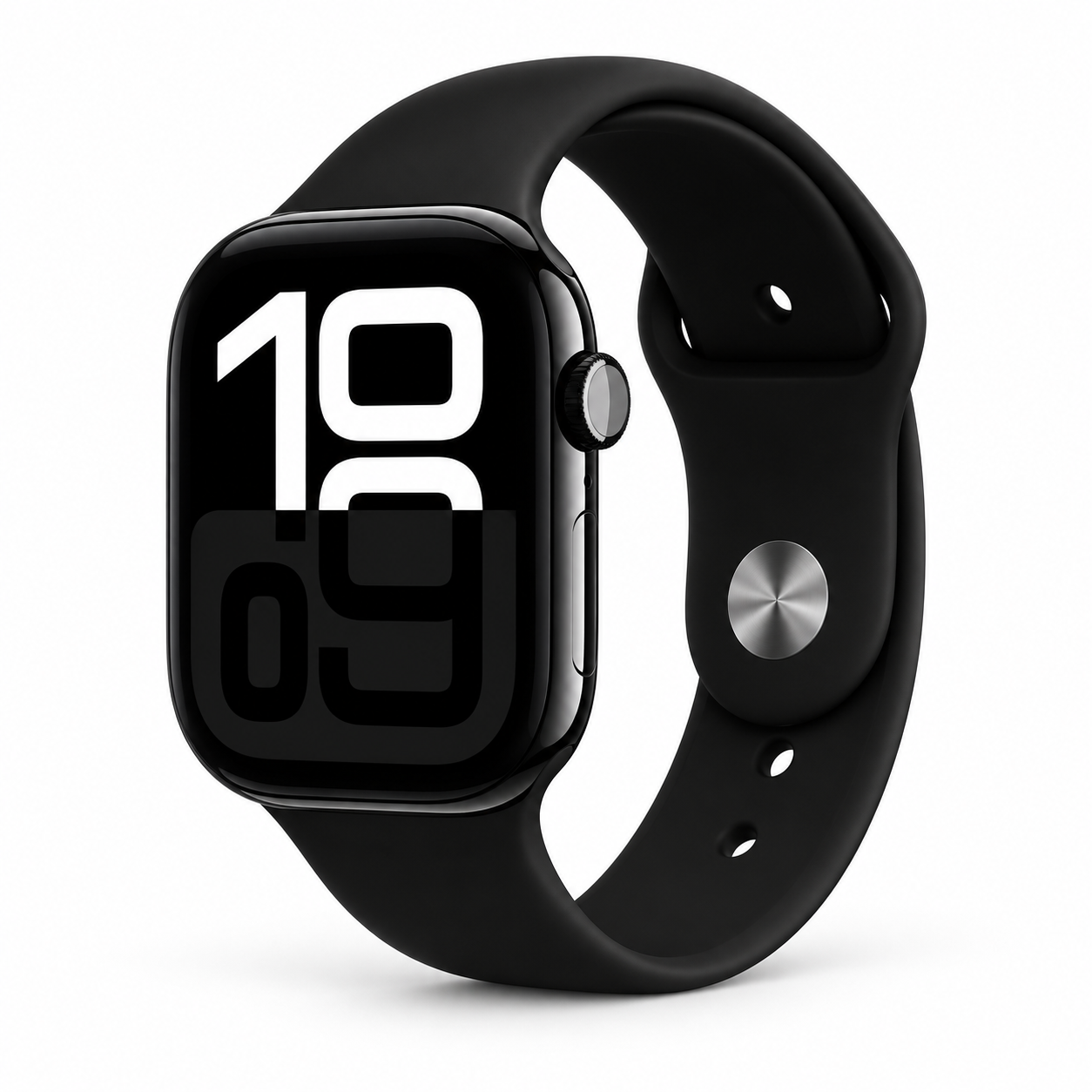
The black finish gives the watch a versatile appearance. Its rectangular case has rounded corners, while the matching strap completes the look. Use the touch screen to explore available functions and the side button to access the controls described in the supplied instructions.
For buyers who prefer a larger watch face, this design offers a clear visual presence on the wrist. Check the product photographs carefully to make sure the style suits your preference.
Bluetooth Calling with the S1000 Pro Smartwatch
Bluetooth calling allows you to make and receive calls through a connected compatible phone. This can be useful when your phone is in a pocket or bag and you want to handle a call from your wrist.
Calling depends on a working Bluetooth connection and the required permissions. Keep your phone within Bluetooth range and complete the pairing process before using this feature.
The supplied image lists Bluetooth 5.0. Call performance can vary with the connected phone, surrounding conditions and connection quality. Follow the included instructions if calling requires an additional Bluetooth pairing step.
Wellness and Activity Features
The S1000 Pro Smartwatch is advertised with heart rate, blood pressure and SpO₂ monitoring features. Sleep monitoring is also shown in the feature guide. These functions offer general wellness information for users interested in reviewing their everyday routine.
Readings are estimates and are not a substitute for medical equipment, diagnosis or professional advice. Do not use watch readings to change medication or make treatment decisions.
Multiple sports modes let you explore activity tracking during different types of exercise. Available modes and recorded information depend on the watch software and app configuration.
For general information about movement and exercise, read the World Health Organization’s physical activity guide. This provides independent educational information about physical activity.
Notifications and Everyday Use
Smart notifications help bring supported call, message and app alerts to your wrist. This offers a convenient way to notice incoming updates while you are busy with everyday tasks.
Notification support depends on your phone, app permissions and background settings. During setup, allow the permissions needed for the alerts you want to receive. You can then review the notification options available in the companion app.
The S1000 Pro Smartwatch also lists music control in its supplied guide. This feature is intended for controlling supported playback on a connected phone. Available controls may vary with the phone and app being used.
Battery Life and Water Resistance
The product image advertises battery life of up to 2–3 days. Actual battery performance varies with calling, screen use, notifications, monitoring settings and other enabled functions. Frequent use may require more regular charging.
A charging cable is listed in the package contents. Follow the included charging instructions and make sure the charging contacts are clean and dry before connecting the watch.
The watch is advertised with an IP67 rating and resistance to sweat, rain and splashes. Follow the manufacturer’s instructions for water exposure. Do not assume it is suitable for swimming, hot showers or diving based only on the product image.
S1000 Pro Smartwatch Setup Guide
- Charge the watch according to the supplied instructions before first use.
- Press and hold the side button to turn it on.
- Scan the supplied QR code to identify the correct companion app. The image names Hiwatch Pro.
- Enable Bluetooth on your phone and open the app’s device section.
- Select the watch and complete the connection process.
- Set up your profile and enable the permissions required for your chosen features.
- Test calls, notifications and activity functions before regular use.
If a feature does not work immediately, check pairing status, app permissions and the instructions supplied with your unit.
Package Contents
The supplied image lists the following items:
- One S1000 Pro Series 11 Smartwatch
- One charging cable, described as a wireless charging cable
- One user manual
- One warranty card
Refer to the included warranty card for applicable terms and coverage.
Frequently Asked Questions
Does this watch support Bluetooth calling?
Yes. Bluetooth calling is advertised, and it requires pairing with a compatible phone.
How long does the battery last?
Advertised battery life is up to 2–3 days. Actual results depend on settings and usage.
Can the watch replace a medical device?
No. Its wellness readings are estimates intended for general information.
Where can I browse more products?
Explore more products in our store to compare available accessories and find items that suit your everyday needs.




 Enjoy free shipping on all orders
 Your payments are secure & encrypted







Reviews
Clear filtersThere are no reviews yet.