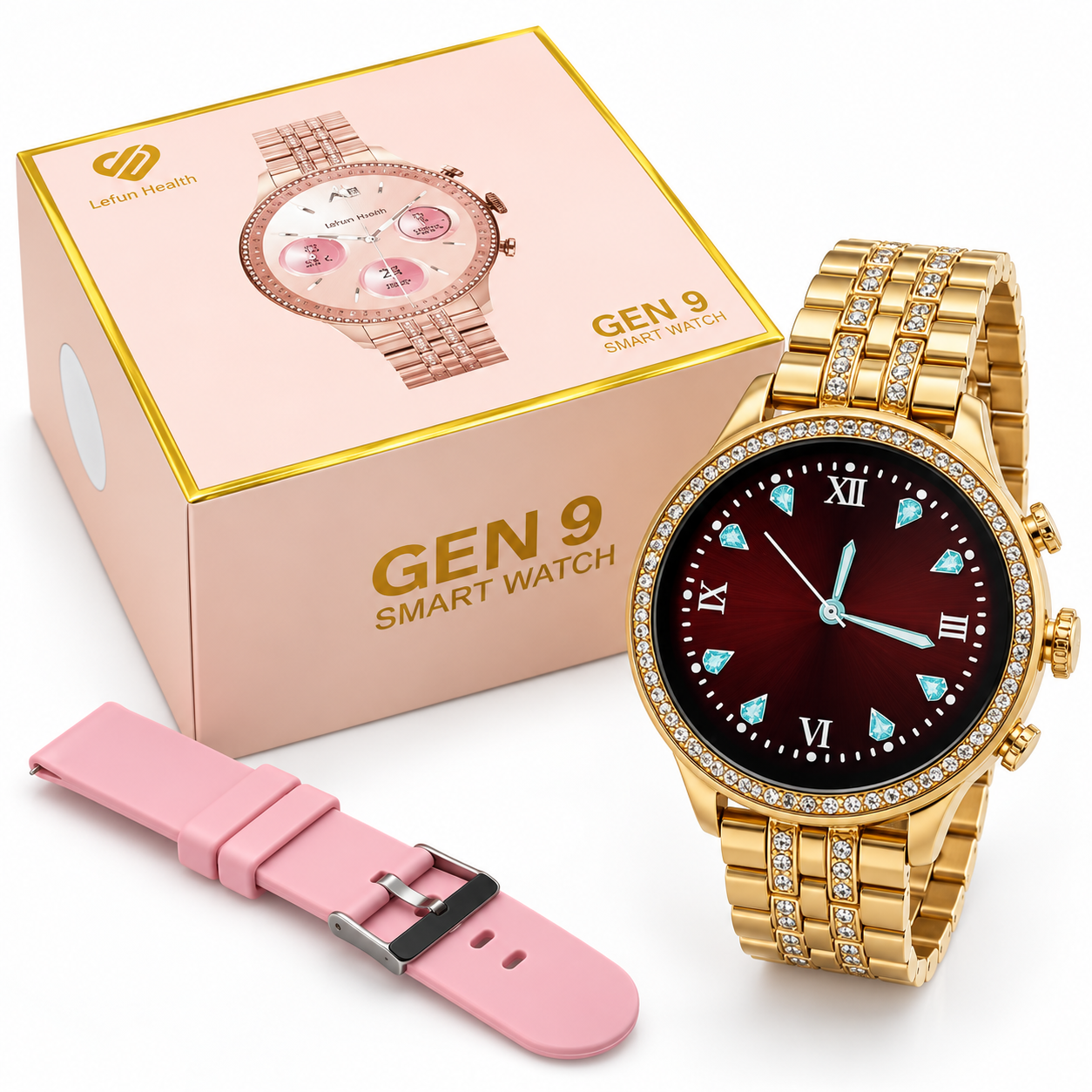
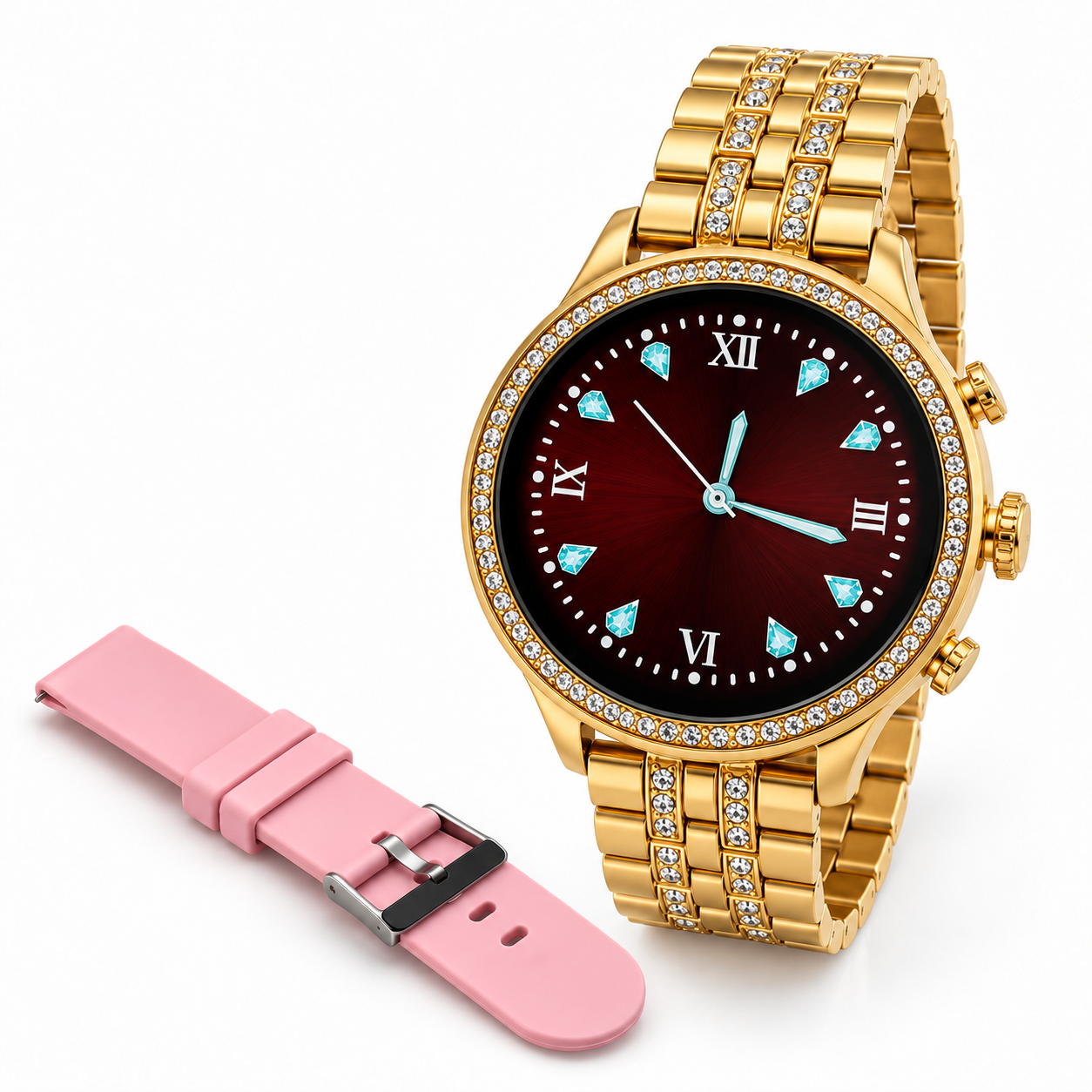
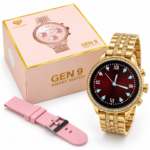
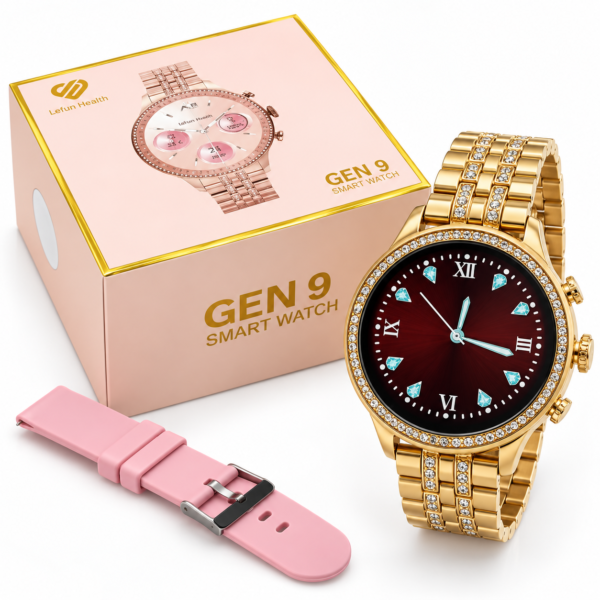
GEN 9 Smartwatch combines a round digital watch face, a decorative case and a rose-gold-tone metal bracelet for a stylish everyday appearance. The supplied product image also shows an extra pink strap, offering another way to wear the watch.
Wireless charging is advertised in the image. For buyers who enjoy accessories with a jewellery-inspired appearance, this model brings a digital display into a decorative round watch design. Review the product photographs and selected variation before ordering to confirm the finish and accessories supplied.
Table of Contents
- Round Dial and Design
- Metal Bracelet and Pink Strap
- Digital Display
- Wireless Charging
- Companion App and Setup
- Everyday Care
- Buying Guide and FAQs
GEN 9 Smartwatch Round Dial and Design
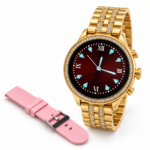
The watch has a circular face with decorative stone-style detailing around its edge. The case and bracelet appear in a rose-gold tone, creating a coordinated look.
Its round shape suits buyers who prefer the appearance of a traditional watch alongside a digital time display. The decorative border adds visual detail without changing the familiar circular profile.
The image does not identify the case material or decorative stone material. The rose-gold description refers to the visible colour and should not be interpreted as a claim that the watch contains real gold.
Metal Bracelet and Extra Pink Strap
The GEN 9 Smartwatch is pictured with a metal-style link bracelet attached. An additional pink strap is placed beside it, providing a different colour and appearance.
The bracelet offers a dressier look, while the pink strap gives you another styling choice for everyday outfits. Confirm that the additional strap is included in your selected package before ordering.
Follow the supplied instructions when replacing the bracelet or strap. Make sure the attachments are secure before wearing the watch. If the bracelet needs resizing, use the correct method or seek help from someone familiar with watch bracelet adjustment.
Digital Time Display
The product photograph shows a digital watch face with large green time numbers against a dark background. This creates a clear visual contrast in the displayed example.
The GEN 9 Smartwatch image does not state the screen size, resolution or display technology. It also does not confirm how many watch faces are available or whether custom faces can be added.
Check the actual watch menu and supplied instructions for available display settings. If brightness or watch-face options are provided, choose the settings that suit your daily use.
GEN 9 Smartwatch Wireless Charging
Wireless charging is explicitly advertised in the supplied image. Follow the charging instructions included with your unit and use the compatible charging accessory specified for the watch.
Wireless charging support does not automatically mean compatibility with every phone charging pad. Confirm the required charger before connecting the watch to a different accessory.
Place the watch correctly on its specified charger and check that a charging indicator appears. Keep the watch and charging area clean and dry.
Battery capacity, charging time and battery life are not stated in this image. Refer to confirmed product specifications for those details rather than assuming a particular number of days between charges.
Companion App and Connection Guide
The companion app name is not visible in the supplied image. To identify the correct app for the GEN 9 Smartwatch, check the user manual or scan the app QR code supplied with the device.
Do not choose an app only because it supports another watch with a similar name. Different watches can require different companion apps, even when their product names look alike.
For initial setup:
- Charge the watch according to the supplied instructions.
- Turn it on using the method described in the manual.
- Locate the app QR code in the instructions, packaging insert or watch menu.
- Identify the specified companion app and check its phone requirements.
- Install it from the appropriate official app store.
- Enable Bluetooth if required and follow the app’s pairing instructions.
- Allow only the permissions needed for the functions you want to use.
The image does not confirm phone compatibility, calling, notifications or health features. Check the actual specifications before relying on those functions.
Everyday Care and Wearing Tips
Adjust the bracelet or strap so the watch sits securely without feeling too tight. A comfortable fit makes it easier to wear as part of your everyday routine.
Clean the watch using the method recommended in its manual. Take care around the decorative dial border and bracelet connections.
A water-resistance rating is not shown in the image. Check the manufacturer’s instructions before exposing the watch to water. Remove it for activities that exceed its stated limits.
For general information about Bluetooth technology used by many connected accessories, visit the Bluetooth SIG website. Confirm this model’s connection specifications separately.
Buying Guide and Frequently Asked Questions
What model is shown?
The supplied image identifies the watch as GEN 9.
Does it support wireless charging?
Wireless charging is advertised. Use the compatible charger specified for your actual unit.
Is an extra strap shown?
Yes. A pink strap is pictured beside the watch and metal bracelet. Confirm its inclusion in your selected package.
Which app should I install?
Check the supplied QR code or manual. The app name is not visible in this image.
Does it support Bluetooth calling?
Calling is not confirmed in the supplied image. Check the actual product specifications before purchase.
Where can I browse more accessories?
Explore more products from Bomcoo to compare available watches and accessories and choose a style that suits your preference.



 Enjoy free shipping on all orders
 Your payments are secure & encrypted





Reviews
Clear filtersThere are no reviews yet.