
How to Build a Better Desk Setup: Laptop and Mobile Stands for Everyday Productivity
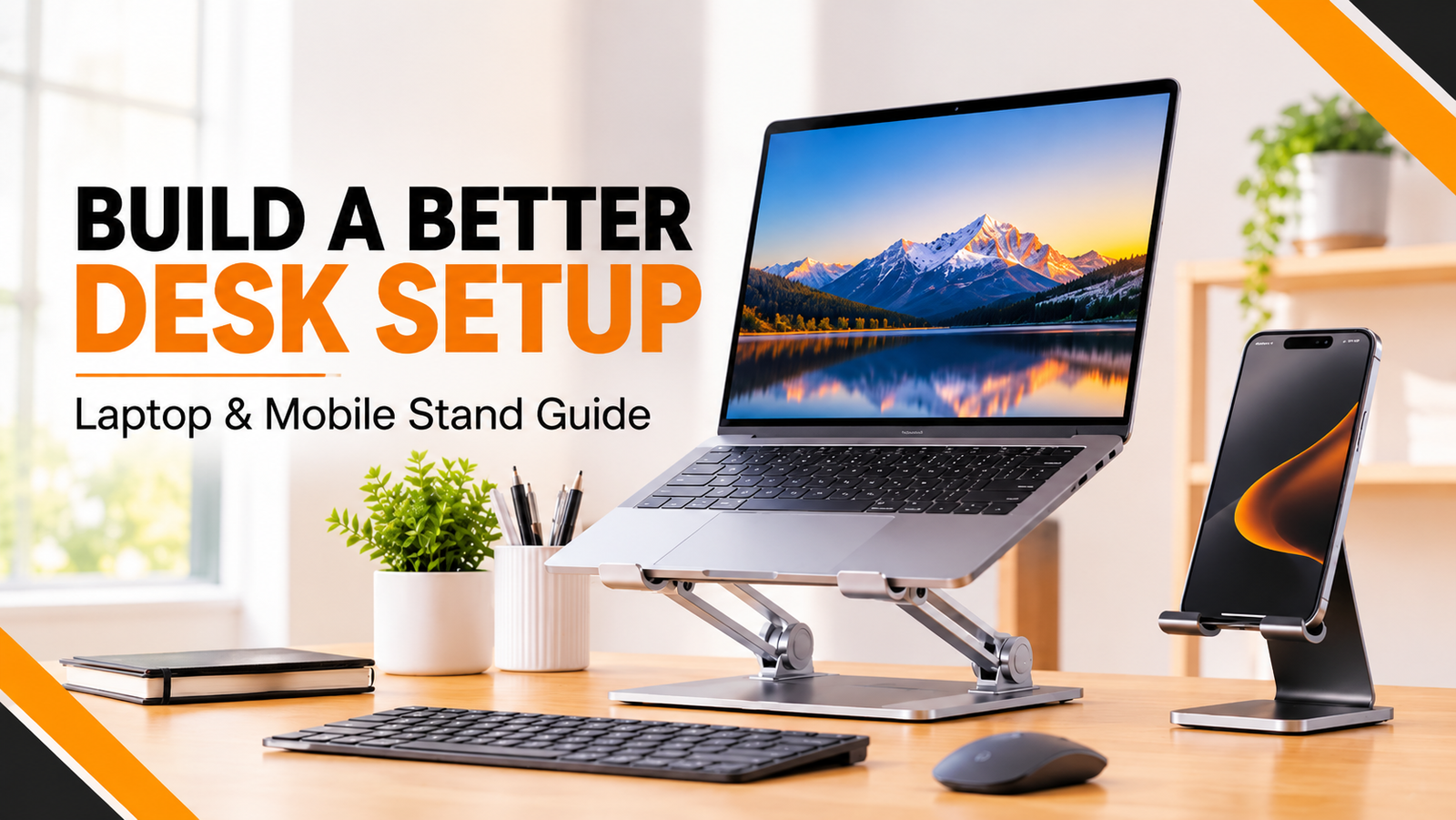
A comfortable workspace can make everyday tasks easier. Whether you are working from home, attending online classes, managing a business or creating digital content, the way you arrange your devices matters.
Many people spend hours looking down at laptop screens or holding their smartphones during video calls. A poorly arranged workspace can become uncomfortable over time.
One simple way to improve your setup is by using a laptop stand and mobile phone stand. These practical accessories help organise your desk, improve screen positioning and make everyday device usage more convenient.
In this guide, we will explore how to choose the right stands and build a more functional workspace.
1. Why Does Your Desk Setup Matter?
Your workspace is more than just a table and a laptop. It is an environment where you spend time studying, working, communicating and creating.
A well-arranged desk can help you:
- Keep frequently used devices organised
- Position screens more comfortably
- Reduce unnecessary desk clutter
- Create more room for a keyboard and mouse
- Make video calls and online meetings more convenient
Small improvements to your workspace can make your daily routine more organised.
2. Benefits of Using an Adjustable Laptop Stand
A laptop placed directly on a desk may require you to look downward, depending on your seating position and screen height.
An adjustable laptop stand raises the laptop screen and allows you to choose a more suitable viewing angle.
Better Screen Positioning
A laptop stand can help bring the screen closer to eye level. This may encourage a more comfortable viewing posture when the stand is adjusted correctly.
Improved Airflow
Many laptop stands feature an open design that allows air to circulate around the laptop.
Better airflow can support heat dissipation, although a stand is not a replacement for proper laptop cooling or maintenance.
More Organised Workspace
Raising your laptop creates additional usable desk space underneath some stand designs.
Useful for Home and Office
A foldable laptop stand can be convenient for people who move between home, office, college and other work locations.
3. How to Choose the Right Laptop Stand
Before purchasing a laptop stand, consider these important features.
Adjustable height: Look for a stand that allows you to position the laptop screen at a comfortable viewing height.
Material: Aluminium stands are popular for their lightweight construction and durability.
Stability: Check the base, support arms and anti-slip grips to ensure the stand can hold your laptop securely.
Portability: A foldable design is useful if you regularly carry your laptop.
Compatibility: Check the supported laptop size and maximum weight capacity before ordering.
4. Why a Mobile Phone Stand Is Also Useful
A laptop is not the only device that deserves a place in your workspace.
Smartphones are used throughout the day for video calls, messaging, browsing, online learning and entertainment.
A mobile phone stand for desk use keeps your phone positioned in a convenient viewing location.
Some practical uses include:
- Attending video meetings
- Watching tutorials while working
- Reading messages without constantly picking up your phone
- Following online recipes or instructions
- Recording short videos
- Keeping your phone visible while studying
A suitable phone stand can make multitasking more convenient.
5. What to Check Before Buying a Mobile Stand
Different mobile stands have different designs. Consider these features before selecting one:
- Adjustability: Can you change the viewing angle?
- Stability: Does the stand hold your phone securely?
- Compatibility: Does it support your phone’s size and weight?
- Portability: Is it easy to fold or move?
- Material: Does the construction suit your everyday usage?
- Desk space: Does it fit comfortably into your workspace?
Choosing a stand according to your daily requirements is more useful than selecting one based only on appearance.
6. Build a Practical Desk Setup with BOMCOO Accessories
BOMCOO offers useful accessories for people who want to organise their everyday technology setup.
Adjustable Aluminium Laptop Stand
The BOMCOO Foldable Laptop Stand features an aluminium construction, adjustable viewing angles, a foldable design and an open structure for airflow.
The product listing specifies seven adjustment levels and compatibility with laptops from 10 to 17 inches.
It can be useful for students, professionals and people who frequently work with laptops.
Explore the product:
360° Rotatable and Foldable Aluminium Mobile Stand
A mobile stand can help position your smartphone for video calls, watching content and everyday desk use.
Explore the BOMCOO mobile stand:
Explore More Mobile Accessories
You can discover additional gadgets and everyday technology accessories through the BOMCOO collection:
7. Simple Tips for a More Comfortable Workspace
Buying accessories is only one part of building a better desk setup. How you arrange everything also matters.
Try these simple suggestions:
- Position your laptop screen at a comfortable viewing height.
- Use a separate keyboard and mouse if raising the laptop makes typing uncomfortable.
- Keep your smartphone on a stand instead of constantly holding it.
- Place frequently used accessories within easy reach.
- Keep charging cables organised.
- Adjust your chair and desk to support a comfortable sitting position.
- Take regular breaks from prolonged screen use.
Remember that a laptop stand alone does not create an ergonomic workspace. Your seating position, keyboard placement and screen distance also matter.
8. Who Can Benefit from Laptop and Mobile Stands?
Students: Useful for online classes, assignments and watching educational videos.
Office Professionals: Helpful for organising laptops, smartphones and everyday work accessories.
Content Creators: Convenient for recording videos, monitoring scripts and attending online meetings.
Remote Workers: Useful for creating a more organised home-office environment.
Everyday Smartphone Users: Helpful for watching videos, reading and making hands-free video calls.
Frequently Asked Questions
Is a laptop stand useful for everyday work?
Yes. A suitable laptop stand can improve screen positioning, create additional desk space and support a more organised workspace.
Does a laptop stand help with laptop cooling?
An open-design stand may improve airflow around the laptop. Actual cooling depends on the laptop’s design, ventilation and workload.
Can I use a laptop stand without an external keyboard?
Yes, but depending on the stand’s height and angle, typing may be less comfortable. A separate keyboard and mouse can be useful.
Why should I use a mobile phone stand?
A mobile stand keeps your phone in a convenient viewing position for video calls, tutorials, reading and entertainment.
What material is good for a laptop stand?
Aluminium is a popular option because it is lightweight and durable. Stability, adjustability and compatibility are equally important.
Final Thoughts
A productive workspace does not need to be complicated or expensive. Sometimes, a few practical accessories can make everyday device usage more convenient.
An adjustable laptop stand can improve screen positioning, while a mobile phone stand helps keep your smartphone organised and accessible.
Explore laptop stands, mobile stands and other useful technology accessories at BOMCOO.
Visit: https://bomcoo.com/
BOMCOO – Stay Connected, Stay Ahead!
