S2000 Pro Smartwatch combines a 1.96-inch HD display, Bluetooth calling and everyday activity features with a set of wireless earbuds. This combo brings two useful accessories together for buyers who want wrist notifications alongside wireless listening.
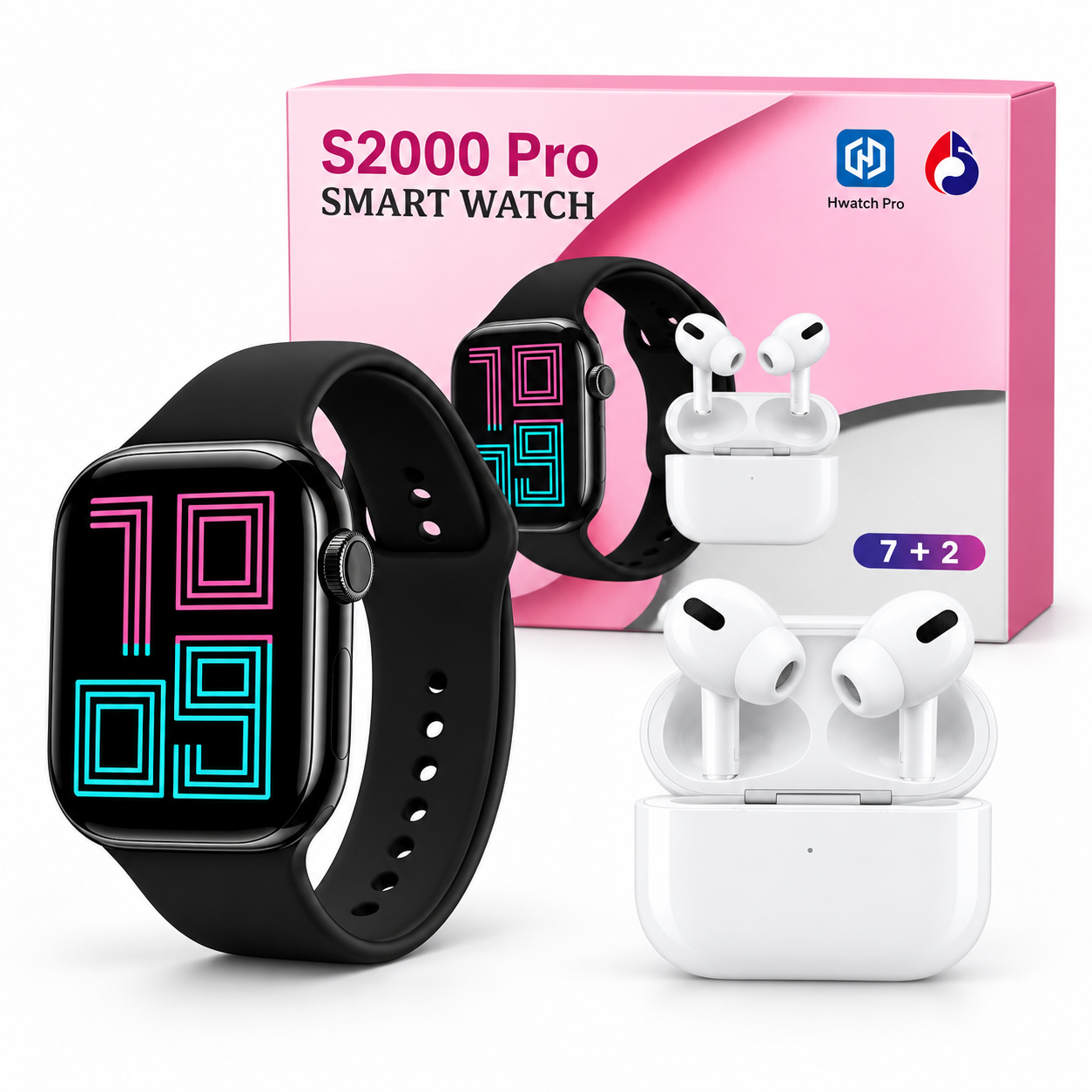
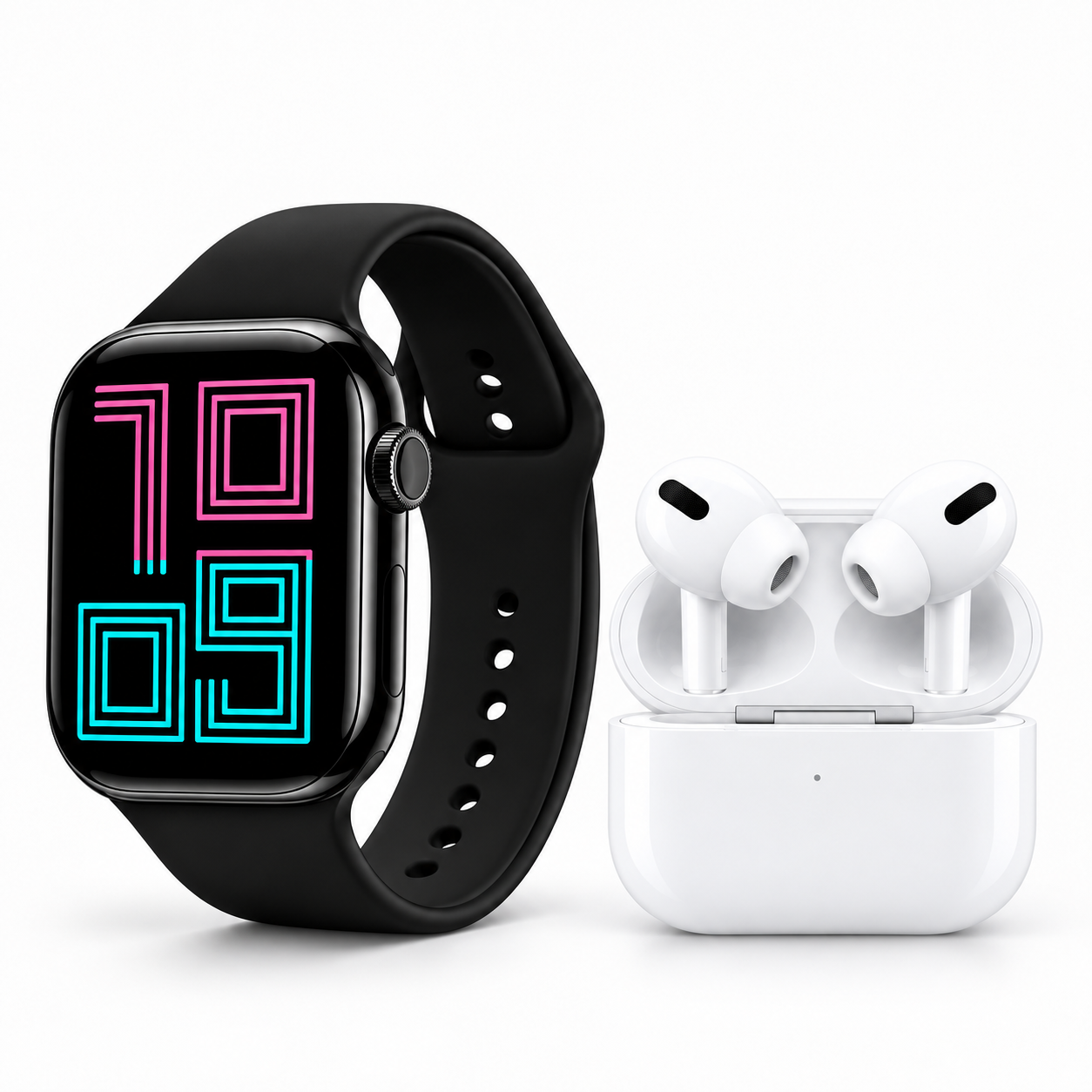
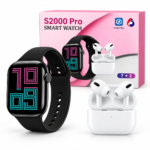
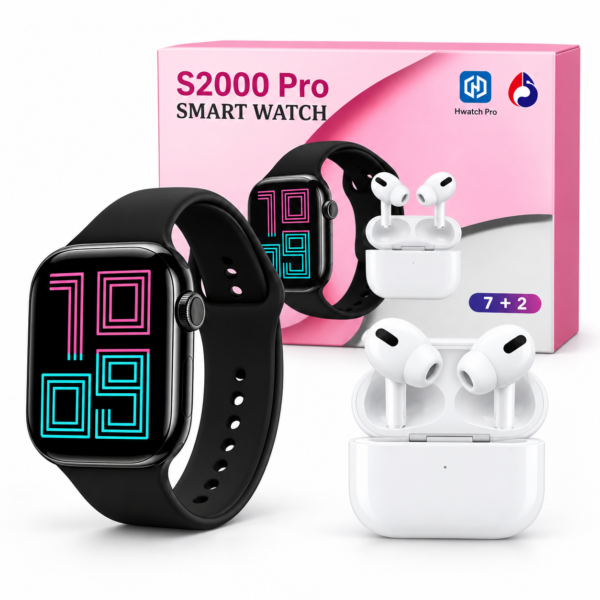
The supplied image shows a black watch and white earbuds with a charging case. The watch uses the Hiwatch Pro companion app, according to the included setup guide. Connect it to a compatible phone to explore supported functions and configure your preferred settings.
Table of Contents
- Display and Design
- Wireless Earbuds Combo
- Hiwatch Pro App and Setup
- Bluetooth Calling and Notifications
- Wellness Features and Sports Modes
- Battery, Charging and Water Resistance
- Package Contents
- Frequently Asked Questions
S2000 Pro Smartwatch Display and Design
The watch has a 1.96-inch display, advertised as HD in the supplied product image. Its screen provides space to view the time, browse available menus and check supported alerts.
The rectangular watch face has rounded corners, a side control and a matching black strap. Its simple appearance suits everyday outfits, while the supplied product photograph helps you review the design before ordering.
Explore the available functions through the watch interface. Follow the manual for button operation, screen navigation and adjusting the strap for a comfortable fit.
Wireless Earbuds Included in the Combo
The S2000 Pro Smartwatch package includes wireless earbuds, shown with a charging case. This gives you a separate accessory for listening to supported audio and handling calls through a compatible connected device.
The watch and earbuds should be set up according to their respective instructions. Pairing the watch does not necessarily pair the earbuds, so complete the Bluetooth connection for each accessory when required.
The promotional image describes a wireless charging case. Check the actual earbuds instructions before choosing a charging method, as charger compatibility and charging requirements are not specified in the image.
Earbud battery life, audio specifications and Bluetooth version are not stated. Refer to the supplied instructions or confirmed product specifications for those details.
S2000 Pro Smartwatch App: Hiwatch Pro
The watch companion app named in the supplied guide is Hiwatch Pro. Scan the QR code included with your actual watch or manual to identify the correct app download.
The guide directs users to the Play Store or App Store. Check the linked app’s availability and current phone requirements before completing setup.
To connect your watch:
- Charge it according to the supplied instructions.
- Press and hold the side button to turn it on.
- Scan the supplied QR code and install the correct Hiwatch Pro app.
- Enable Bluetooth on your phone.
- Open the app and go to its device connection section.
- Select “S2000 Pro,” as shown in the guide.
- Complete pairing and enable the permissions needed for your chosen features.
The image lists Android and iOS compatibility but does not specify minimum operating system versions. Confirm compatibility with your phone through the app listing and supplied manual.
Bluetooth Calling and Smart Notifications
Bluetooth calling is advertised for the S2000 Pro Smartwatch. This allows supported calls to be handled from the watch through a compatible connected phone.
Keep the phone within Bluetooth range and complete any additional calling connection described in the manual. Call performance depends on the phone, connection quality and surrounding conditions.
Supported call, message and app alerts can appear on your wrist. Choose the notifications you want in the companion app and allow the relevant phone permissions.
The supplied guide also mentions music control. Available controls may vary with the connected phone and playback app.
Wellness Monitoring and Sports Modes
The advertised watch features include heart rate, blood pressure and sleep monitoring. These functions provide estimates for users interested in reviewing aspects of their everyday routine.
The watch is not a medical device. Do not use its readings to diagnose a condition, change medication or replace advice from a qualified healthcare professional.
Multiple sports modes are also listed. Explore the options available on your unit and select a suitable mode before beginning an activity. Available modes and recorded information depend on the watch software.
For general educational information about exercise and movement, visit the World Health Organization’s physical activity guide.
Watch Battery and Magnetic Charging
The S2000 Pro Smartwatch has an advertised battery life of up to 2–3 days. Actual performance depends on screen use, calls, notifications, monitoring settings and other enabled functions.
A magnetic watch charging cable is listed in the package contents. Use the supplied accessory according to the manual and check the charging indicator after connecting it.
Make sure the watch and charging contacts are clean and dry. The watch battery claim should not be treated as the battery life of the included earbuds.
Water Resistance and Everyday Care
The watch is advertised with an IP67 rating and resistance to sweat, rain and splashes. Follow the actual manual for permitted exposure and care instructions.
Do not assume the watch is suitable for swimming, diving or hot showers based only on the promotional image. The image does not confirm a water-resistance rating for the earbuds or their case.
What Is Included in the Box?
The supplied image lists:
- One S2000 Pro watch
- One wireless earbuds set
- One magnetic watch charging cable
- One user manual
- One warranty card
The earbuds are pictured with a charging case. Check the warranty card for applicable coverage and terms.
Frequently Asked Questions
Which app does the watch use?
The supplied guide names Hiwatch Pro. Scan the QR code included with your unit to confirm the correct download.
Are wireless earbuds included?
Yes. Wireless earbuds are listed in the package contents and pictured with a charging case.
What is the watch display size?
The advertised display size is 1.96 inches.
Does the watch support calling?
Bluetooth calling is advertised and requires a compatible connected phone.
Where can I browse more accessories?
Explore more products from Bomcoo to compare available accessories for your daily routine.



 Enjoy free shipping on all orders
 Your payments are secure & encrypted





Reviews
Clear filtersThere are no reviews yet.